
When several guides work the same departure, every booking must be given to a guide. A booking always stays whole: it all goes to the same guide. As long as a booking has nobody, the departure stays Not ready.
At 09:15, for example, Roberto Salvatore and Laura Prieto work the Vatican Museums. They take eight bookings out of ten: two bookings, with five pax, are still waiting for a guide.
Before you start
The guides must be assigned to the departure: see Assign guides, vehicles and escorts (Assign guides, vehicles and escorts).
Steps
- Step 1:
Open the departure. In Recap, on the line "2 bookings not covered", click Choose their guide. The Resources and groups tab opens at the "Guide" section.
- Step 2:
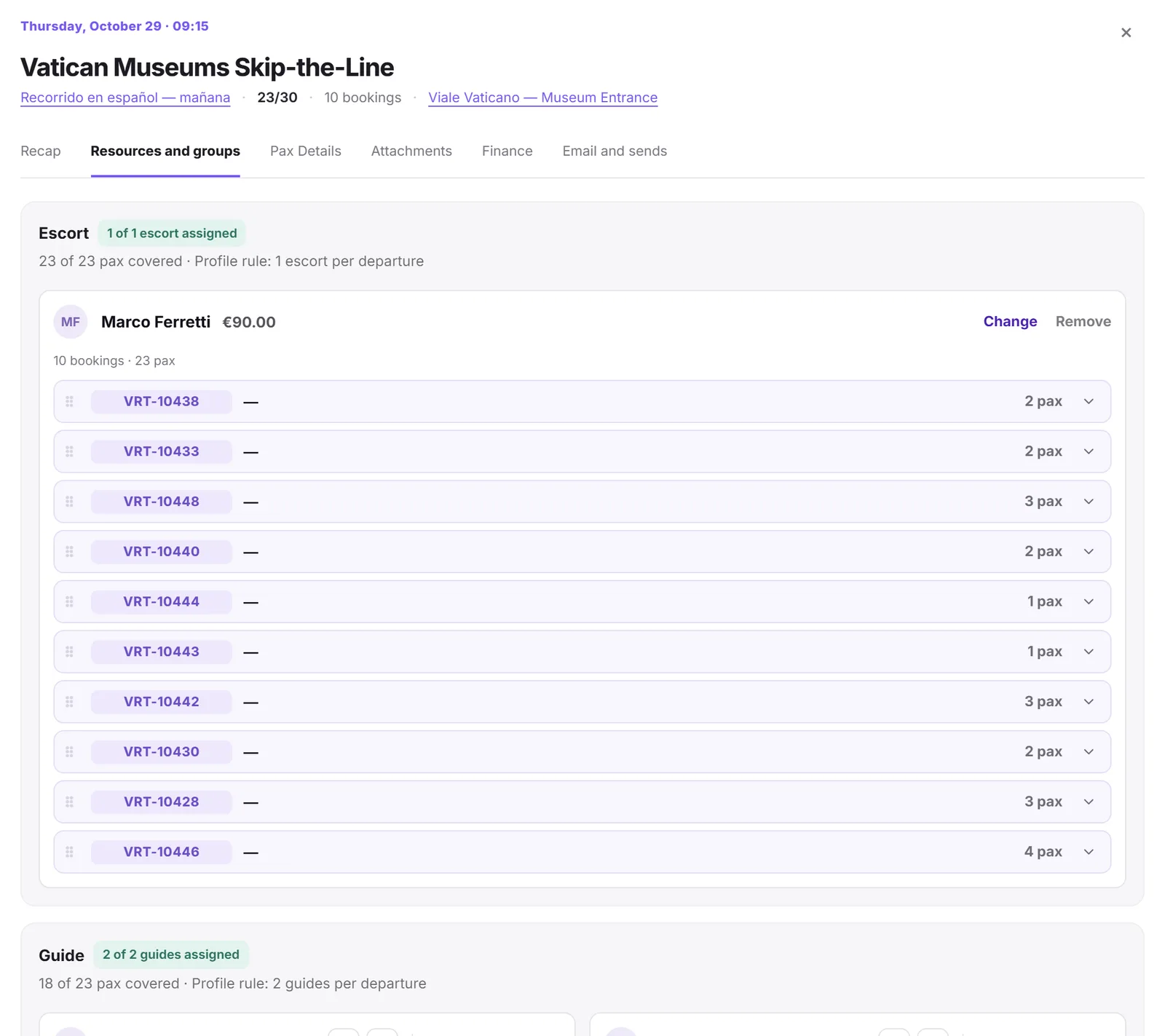
At the head of the section you read "2 of 2 guides assigned" and "18 of 23 pax covered".
- Step 3:
Below each guide's card are their bookings, for example "4 bookings · 12 pax" for Roberto Salvatore.
- Step 4:
Further down, No guide yet lists the bookings still uncovered: "2 bookings · 5 pax".
- Step 5:
Drag a booking by its ⠿ handle onto Laura Prieto's card. The booking moves under her immediately and is saved automatically.
- Step 6:
Do the same with the other booking. When No guide yet is empty, the section says "23 of 23 pax covered".
Click the ⠿ handle: the Move window opens. Click the name of the guide who should take the booking.
Move a booking to another guide
Drag the booking by its ⠿ handle from one guide's card to the other's. Or click ⠿ and, in Move, click the other guide.
When there's no need to split
- If there's only one guide on the departure, they get all the bookings.
- Some resources take the whole departure, for example the escort or the vehicle. Under Coach 14 you find all ten bookings, and the rule says "1 vehicle per departure".
- In these cases the ⠿ handle is grey: there's nothing to move.
How each requirement works is decided by the product's operating profile.
What happens next
- In Recap, the line "2 bookings not covered" disappears.
- On the Pax Details tab each booking shows its guide, for example "Marco Ferretti · Coach 14 · Laura Prieto".
- If nothing else is left to do, the departure becomes Ready. See Get a departure ready (Get a departure ready).
If something goes wrong
- The ⠿ handle won't drag: the resource takes the whole departure, or there's only one guide.
- Below the booking you read "booking details need review before allocation": check the booking in Bókun, then try again.
- Below the booking you read "allocation needs review": the booking is split between several guides. Drag it onto just one.
- The booking jumps back and a message appears: the move wasn't saved. For example "This resource does not have enough capacity for the whole booking": choose another guide.
- A guide can't run the service: replace them without losing their bookings. See Replace a resource (Replace a resource).