
If an assigned guide can't run the service, you replace them in one step. The new guide takes their place and the bookings they were taking. The same goes for escorts and vehicles.
At 09:15, for example, Laura Prieto is assigned as guide to four bookings at the Vatican Museums. If she can't come, Diego Ramos takes her place and her bookings.
Before you start
The new resource must exist on the Manage Resources page, with the languages they speak.
Steps
- Step 1:
Open the departure and click the Resources and groups tab.
- Step 2:
In the "Guide" section, find Laura Prieto's card.
- Step 3:
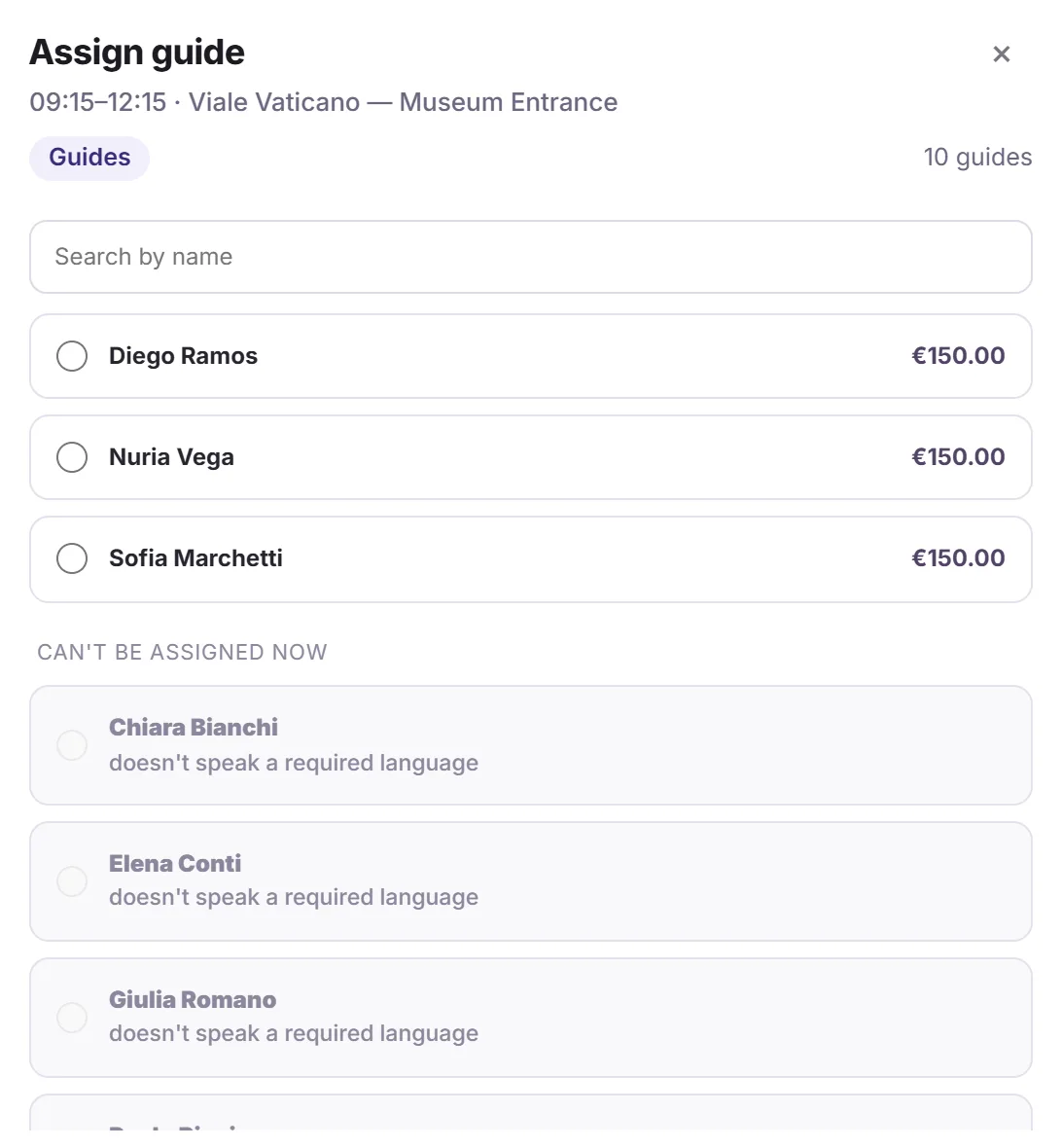
Click Change. The Assign guide list opens, without Laura Prieto.
- Step 4:
Click a free name, for example Diego Ramos. The replacement is recorded immediately.
What happens next
- Diego Ramos takes Laura Prieto's four bookings. The departure's coverage doesn't change.
- For a few seconds "✓ Saved" appears, with who was replaced and by whom. If you made a mistake, click Undo before the time runs out: Laura Prieto goes back to her place.
- Diego Ramos appears in Email and sends as Not sent: send him his email. See Check and send the daily packet (Check and send the daily packet).
- If Laura Prieto had already received her email, What still needs doing reminds you. The app doesn't notify her: contact her yourself.
If something goes wrong
- "This resource does not have enough capacity for the whole booking" appears: the new resource doesn't have seats for all the bookings it receives. Choose another one, or move some bookings first. See Split bookings between guides (Split bookings between guides).
- Correct the capacity in Manage Resources only if the number is wrong. Don't raise it to fit a booking in: the seats must really exist.
- The name you're looking for is grey under Can't be assigned now: read the reason next to it, for example another departure at the same time. Choose another resource.
- You click Undo and read "Can’t undo" with the reason: something changed in the meantime. Put the resource back by hand, with Change.
- "Conflict — the state changed underneath…" appears: close the window, open it again and try again.
- You only want to remove a resource, without replacing it: see Assign guides, vehicles and escorts (Assign guides, vehicles and escorts).